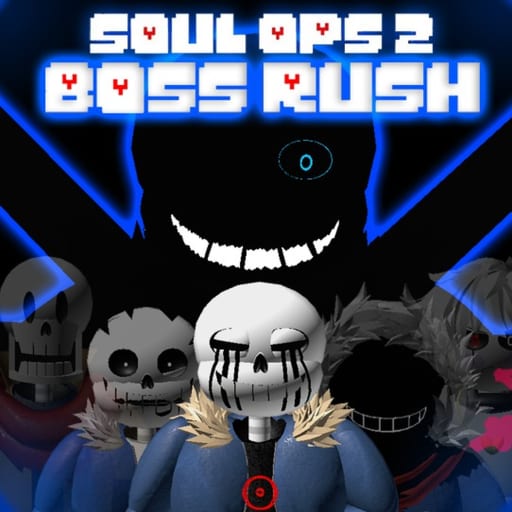
Undertale Soul OPs 2 Normal Mode Wave Checklist
Mark wave sets as you learn spawn timing on the road to Gaster.
Normal Mode checklist
Track wave sets on the way to Gaster.
Learning Undertale Soul OPs 2 means memorizing Normal Mode wave pacing before Hard Mode, Fresh Mode, or seasonal events remix the rules. The Wave Checklist on this page gives you clickable milestones to track practice clears. Scroll down to the widget injected via toolId: wave-checklist—the same mechanism described on our Tools hub.
This is a study aid, not a scoreboard connected to Roblox. Check boxes as you personally confirm each wave set in-game. Pair the list with Getting Started for soul-defense basics and Team Composition so your lobbies stay balanced while you learn.
Why wave tracking beats script auto-farm
Players who search for wave-skip scripts for place 13118242074 usually find nothing maintained—or get banned trying. Manual tracking builds the muscle memory Hard Mode expects: when to save cooldowns, when vote skip dialogue appears, and when to rotate back to soul lanes.
Our Scripts hub documents honest script scarcity. The checklist covers the legitimate “progress log” use case without violating Roblox Terms of Use.
How to use the checklist in a study session
- Queue Normal Mode with a balanced team from Characters picks you actually play.
- After each successful wave set, tick the matching checkbox in the widget.
- On wipes, note whether failure was mechanical (Gaze-style burst) or comp-related—return to Tier List or Tier Planner if damage or durability lagged.
- Reset the checklist when you start a fresh account or teach a friend; the reset button clears local progress only.
- Once consistent, read Updates for Fresh Mode notes and attempt Hard Mode with clearer expectations.
Connecting waves to bosses and events
Normal Mode teaches spawn rhythms that reappear in harder content. Halloween True Lab runs layer Reaper and Six Bones on top of fundamentals you should already recognize. Easter egg routes interrupt patterns—if checkboxes stall mid-list, practice soul positioning before blaming DPS.
Gaster-adjacent milestones matter for confidence even if the widget uses simplified labels. When developers add Fresh Mode wave variants or Fresh Sans Tier 4 interactions, revisit Updates and keep practicing Normal until checkboxes feel routine.
Tier and currency planning alongside waves
Each cleared session drops coins toward tier upgrades. After a checklist block, open Tier Planner with your new balance before spending on impulse picks. Redeem Codes on patch days to accelerate milestone sessions.
Multiplayer etiquette
Public lobbies move at different speeds. Do not force teammates to slow for your checklist—track mental notes silently or run private servers with friends who agree to practice pace. Use voice callouts from Guides instead of blaming randoms when a box stays unchecked.
Platform notes
Console players gained LT shiftlock and related control tweaks in early 2025 patches summarized on Review. Mobile players may need adjusted camera habits for soul lanes—checkbox progress may lag PC players even with equal skill; that is normal.
Tool limits
The widget does not sync to Roblox APIs or verify clears automatically. Labels may not reflect the latest patch if wave numbering shifts—confirm against in-game UI and the Fandom wiki after major updates. It also cannot simulate DJ Stand perk timing; treat unchecked boxes as personal homework, not failure.
After you complete the list
Move to Hard Mode with realistic expectations—our review data notes steeper difficulty and lower concurrent users at high tiers. Keep Events on the calendar for seasonal breaks, and avoid executors per How to Use Scripts regardless of checklist completion.
Teaching friends with the checklist
When onboarding new players, share this page and tick boxes together in a private server. Assign one veteran to call soul rotations while the beginner focuses on a single checkbox per run. That structure beats throwing them into public Hard Mode queues where Team Composition warnings already flash red.
Frequently Asked Questions
Quick answers for Undertale Soul OPs 2 players.
Does the Wave Checklist sync with my Roblox account?
No. Progress is stored locally in your browser for practice tracking only.
Where is the checklist widget on this page?
Below the article. The page root toolId wave-checklist loads the Normal Mode checklist component.
Should I finish the checklist before Hard Mode?
Aim for consistent Normal clears first. Hard Mode assumes you understand soul defense and wave pacing under pressure.
Can I reset progress for a new account?
Yes. Use the reset control in the widget to clear checkboxes without affecting Roblox data.
Do seasonal events use the same wave list?
Partially. Events remix bosses and objectives. Normal checklist habits still transfer but expect extra mechanics from Seasonal Events guides.